
A-B Repeat for Video on iPhone
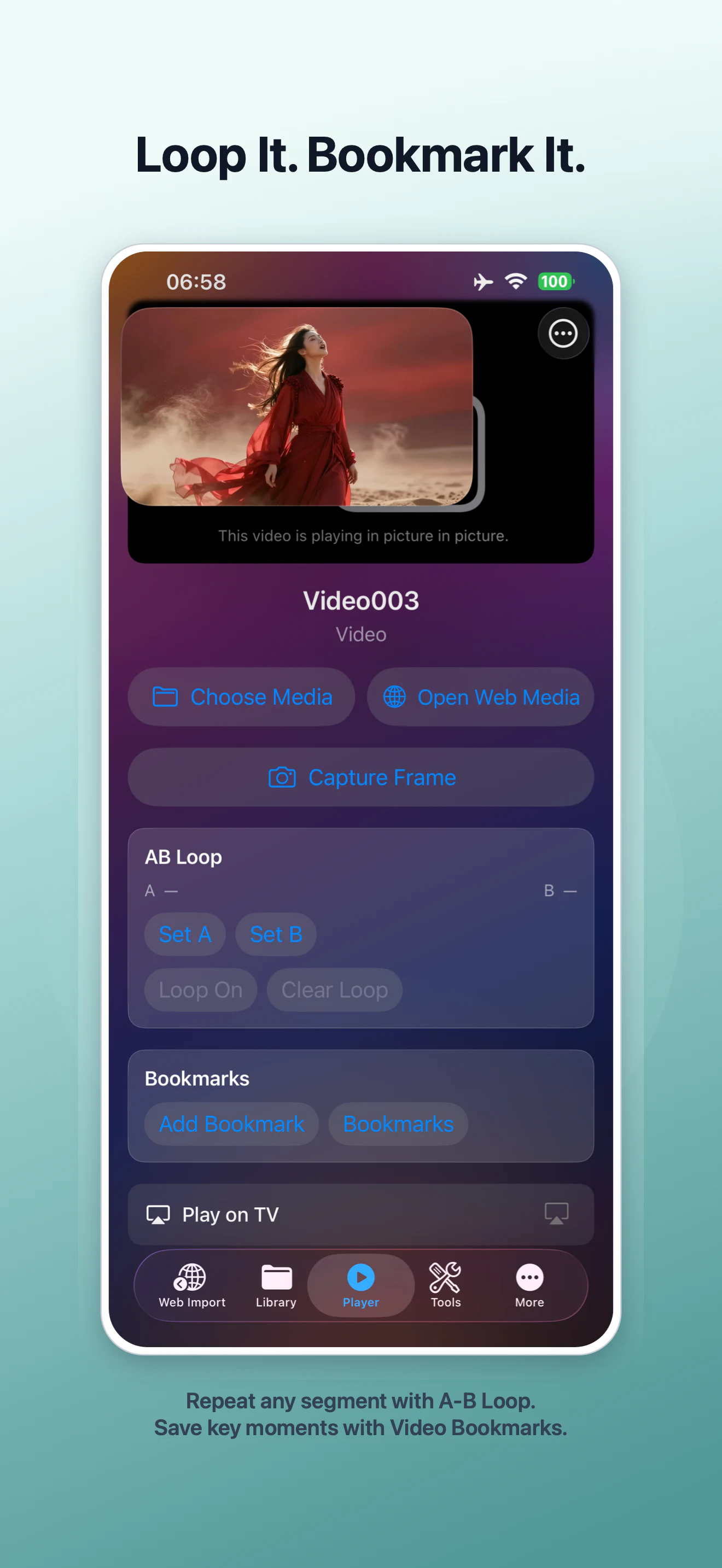
A-B Repeat lets you mark the beginning and end of a section, then replay that exact range until you turn the loop off. In VideoVault 1.0.4, the control sits alongside Capture Frame, Video Bookmarks, and Play on TV so focused review does not require trimming or changing the original file. A-B Repeat is a Pro feature.
Real-world scenarios
Practice a short movement
Set A just before a technique starts and B after it ends. Replay the same few seconds while you compare timing or form.
Review a difficult phrase
Use a short loop for language, music, or lecture audio so the important phrase repeats without repeated scrubbing.
Check an edit or presentation cue
Loop a transition, title card, or spoken handoff while checking whether the moment lands cleanly.
Step-by-step
Choose media in Player
Open a video or audio item from your VideoVault library, or open supported web media from a compatible source.
Set the start point
Move playback to the beginning of the section and tap Set A.
Set the end point
Continue to the end of the section and tap Set B, then enable the loop.
Clear the range when finished
Turn the loop off or clear it to return to normal playback. The source media is not edited.
How VideoVault helps
- Repeats a precise range without creating another copy of the media.
- Pairs with playback speed for careful review.
- Works beside Video Bookmarks when you want to save other moments for later.
- Keeps the focused controls inside one player on iPhone and iPad.
Limits and supported formats
What VideoVault does not do
- A-B Repeat is a VideoVault Pro feature.
- The range controls playback only; they do not trim or export the section.
- Available behavior can depend on the media format and source compatibility.
- Use only media you have the right or permission to access.
Formats
- Local video: MP4, MOV, M4V
- Local audio: MP3, M4A, AAC, WAV
- Supported web media from compatible sources
FAQ
Does A-B Repeat change my video?
No. It changes the playback range only and leaves the source file unchanged.
Can I save several loop ranges?
A-B Repeat is for the active range. Use Video Bookmarks to save multiple important moments you want to revisit.
Can I use it on iPad?
Yes. VideoVault 1.0.4 is optimized for both iPhone and iPad layouts.
Related articles
Get VideoVault on the App Store
Play, edit, and organize local video and audio with Private Lists, Video Studio, Audio Tools, and advanced playback. Pro is available monthly, yearly, or as a one-time Lifetime purchase.
App Store listing is being prepared.
Download on the App StoreExplore VideoVault