Video Bookmarks on iPhone
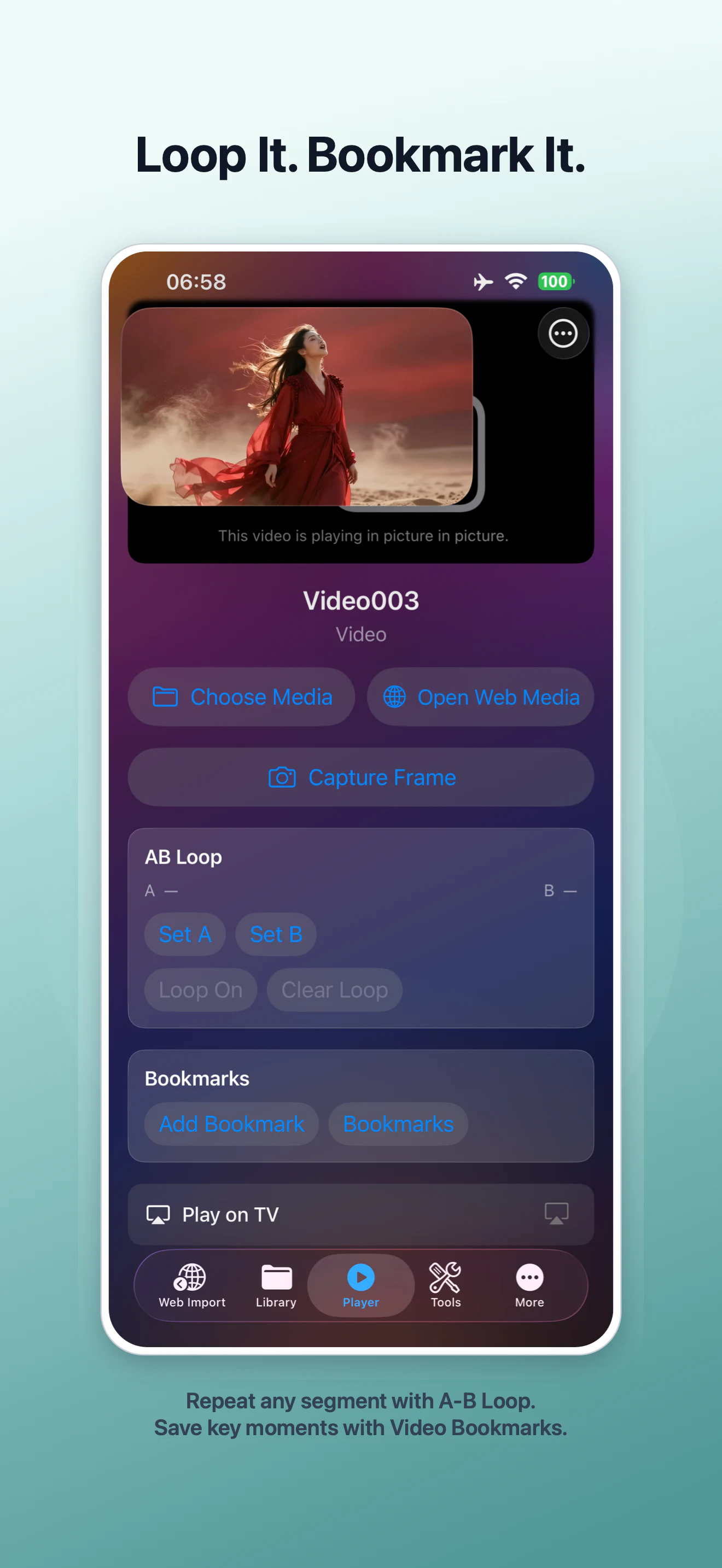
Video Bookmarks save useful playback positions inside VideoVault so you can return to a key moment without writing down a timestamp. They are designed for lessons, references, rehearsals, and any long recording where a few moments matter more than the rest. Video Bookmarks are a Pro feature in VideoVault 1.0.4.
Real-world scenarios
Mark an explanation in a lecture
Save the moment a definition or example begins, then return to it during revision.
Keep references in a long clip
Bookmark product shots, interview answers, or performance cues without splitting the original recording.
Move between practice points
Store several important positions, jump to one, then use A-B Repeat when a particular section needs closer review.
Step-by-step
Play the media
Open an item in Player and move to the moment you want to keep.
Add the bookmark
Tap Add Bookmark to store the current playback position with that media item.
Open Bookmarks
Use the Bookmarks control to review saved positions and jump directly to one.
Keep your library protected
Include media and related metadata in a Full Library Backup before changing devices or deleting the app.
How VideoVault helps
- Reduces repeated scrubbing through long recordings.
- Keeps reference points associated with the media in your private library.
- Complements Capture Frame when you need a still image as well as a saved time.
- Works with Private Lists for organized study or review sets.
Limits and supported formats
What VideoVault does not do
- Video Bookmarks are a VideoVault Pro feature.
- A bookmark stores a playback position, not a separate video clip.
- Deleting the underlying media can remove access to its saved positions.
- VideoVault does not provide collaborative or public bookmark sharing.
Formats
- Local video: MP4, MOV, M4V
- Local audio: MP3, M4A, AAC, WAV
- Supported web media when the source and playback session are compatible
FAQ
Is a Video Bookmark the same as trimming a clip?
No. A bookmark returns playback to a saved position. Use Video Studio when you need to trim and export a new copy.
Can I create more than one bookmark?
Yes. The Bookmarks view is designed for revisiting multiple saved moments.
Are bookmarks public?
No. VideoVault does not create a public profile or social bookmark page.
Related articles
Get VideoVault on the App Store
Play, edit, and organize local video and audio with Private Lists, Video Studio, Audio Tools, and advanced playback. Pro is available monthly, yearly, or as a one-time Lifetime purchase.
App Store listing is being prepared.
Download on the App StoreExplore VideoVault