Training Video Player for iPhone
VideoVault works as a practical offline training player when your drills, onboarding videos, or coaching clips already live as files on your iPhone. Import them into a private library, group them into playlists, and replay with seek, speed, and optional background audio. It is not a learning-management system and does not stream or download training catalogs from the web.
Real-world scenarios
Field coaching clips on a job site
Supervisors save short how-to videos to Files, import them into VideoVault, and open the right clip without hunting through Camera Roll.
Fitness or form review offline
Keep a playlist of form demos. Loop a clip in Player, slow playback, and practice without relying on a gym Wi-Fi stream.
Employee onboarding packets
Load policy and process videos once, then hand a device a playlist order that matches day-one training.
Step-by-step
Import training media from Photos or Files
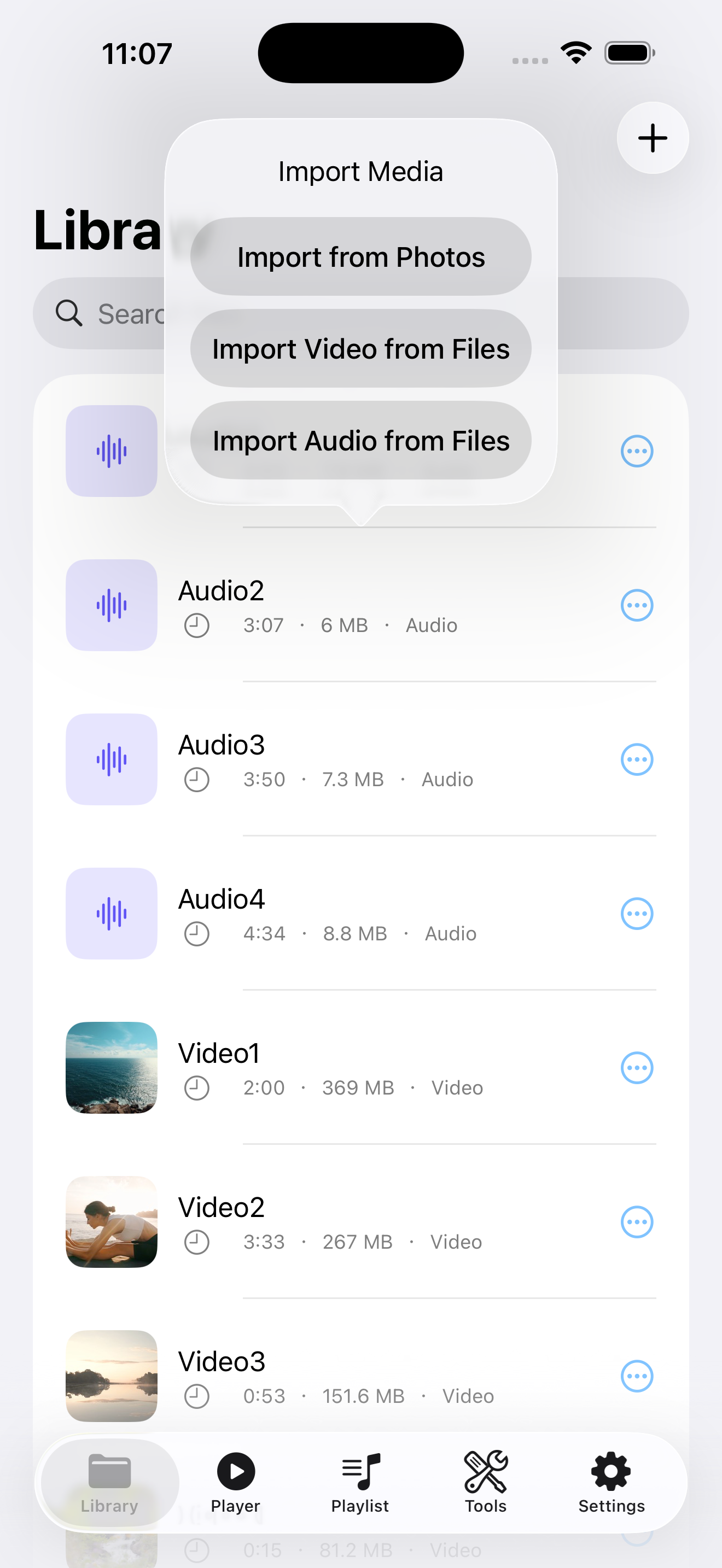
Use Library → + to copy approved training videos into VideoVault’s sandbox storage.
Rename clips so titles match the curriculum
Clear names beat generic IMG filenames when someone needs “Module 3 — Safety” quickly.
Build playlists per skill path
Create playlists such as “Week 1 Onboarding” or “Machine Setup,” then add clips in teaching order.
Replay with player controls
Use pause, ±15 seconds, and speed controls during practice. Enable Background Playback (Pro) if trainees listen while performing a task.
How VideoVault helps
- Offline-first library reduces dependence on venue Wi-Fi.
- Search and sort help large training packs stay manageable.
- Playlists encode sequence without a separate LMS app.
- Full Library Backup protects the packet when devices rotate.
Limits and supported formats
What VideoVault does not do
- No LMS quizzes, progress sync, or admin dashboards.
- No YouTube / TikTok training downloaders.
- No AI coaching overlays or auto chapter markers.
- No video compression for shrinking huge 4K demos inside VideoVault.
- No multi-track editing of training footage.
Formats
- Training video: MP4, MOV, M4V
- Supporting audio: MP3, M4A, AAC, WAV
- Share exports use the system share sheet (Pro for Export & Share)
FAQ
Can teams sync one shared training library in the cloud?
VideoVault has no cloud sync. Distribute files through your own Files/MDM workflow, or restore from a Full Library Backup you control.
Does it track who finished which module?
No completion tracking. Use playlists as a checklist and track completion in your own process.
Can I shrink large training videos in the app?
No. VideoVault does not include a compress-video tool. Compress elsewhere before import if storage is tight.
Is iPad supported for training review?
Yes. VideoVault supports iPhone and iPad, which helps when a larger screen is useful for demos.
Related articles
Get VideoVault on the App Store
Import local video and audio, organize playlists, extract M4A audio, and unlock background playback with a one-time Lifetime Pro purchase — no subscription.
App Store listing is being prepared.
Download on the App StoreExplore VideoVault