Listen to Lecture Videos in the Background
If your lecture is already a video file on your iPhone — from Files, an export, or Photos — VideoVault can play it while you take notes in another app or lock the screen. Import the lecture, enable Background Playback (Lifetime Pro), and treat the soundtrack like a study podcast. VideoVault does not fetch lectures from online course sites or generate transcripts.
Real-world scenarios
Review a recorded seminar while commuting
Import last week’s seminar recording, start playback, lock the phone, and scrub ±15 seconds when you need to rehear a definition.
Take notes in a separate app
Play the lecture in VideoVault, switch to Notes or a PDF reader, and keep the audio running with background playback enabled.
Queue a week of class clips
Build a playlist of lecture segments in order so one session flows into the next without reopening Library each time.
Step-by-step
Gather lecture files offline
Save or copy lecture videos you are allowed to keep into Files, iCloud Drive, or Photos, then import them into VideoVault.
Organize by course with playlists
Create a playlist per class or week and add the imported clips in syllabus order.
Turn on Background Playback
With Lifetime Pro, enable Background Playback in Settings before you start a long study block.
Use speed and skip controls
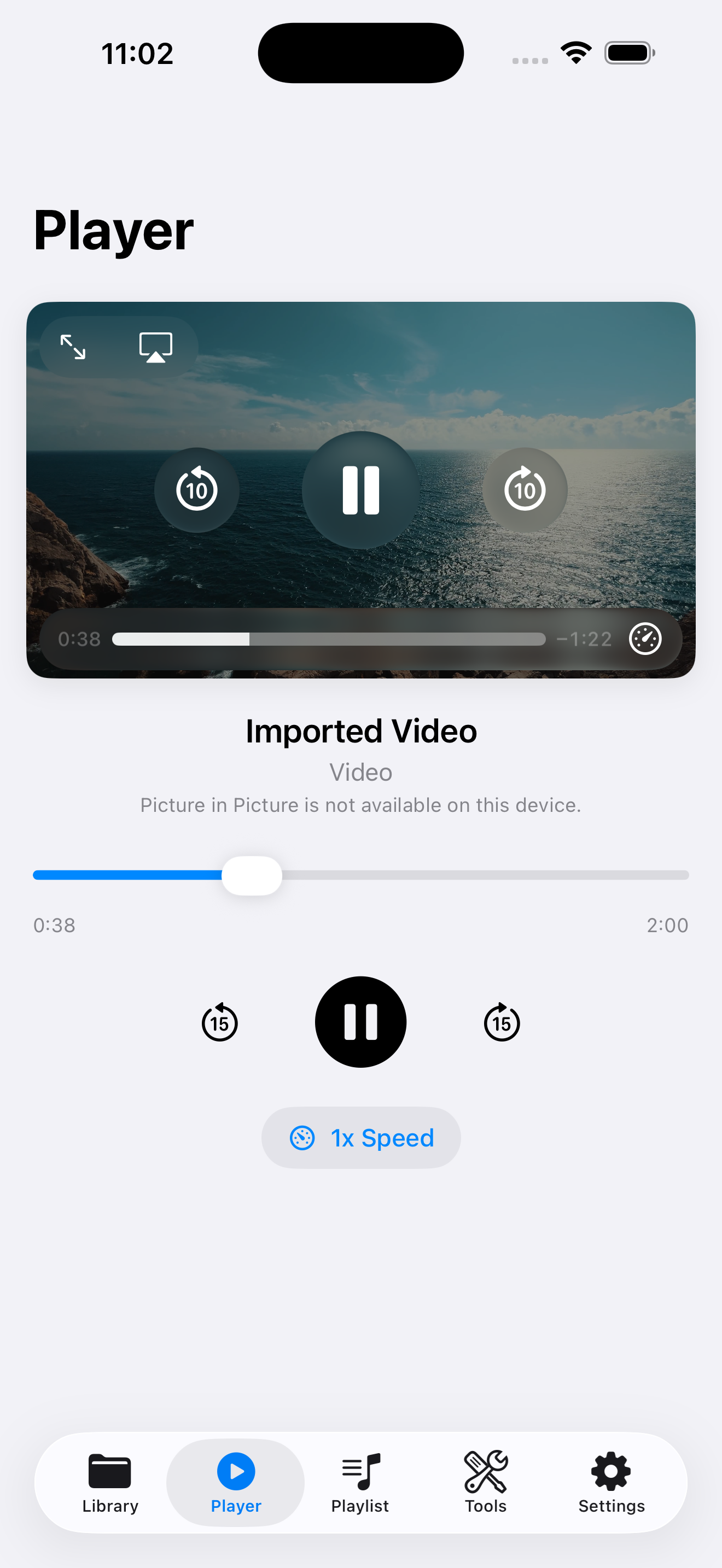
In Player, adjust speed for dense sections and use ±15 second jumps to revisit examples without scrubbing blindly.
How VideoVault helps
- Local library means lectures remain available offline after import.
- Playlists mirror course structure better than a flat camera roll.
- Background playback supports note-taking and commuting workflows.
- Optional Extract Audio (M4A) creates lighter study audio from video lectures you own.
Limits and supported formats
What VideoVault does not do
- No downloads from Coursera, YouTube, or other streaming classroom sites.
- No AI lecture transcription or auto summaries.
- No cloud sync of playlists — back up with Full Library Backup before switching phones.
- No podcast-host publishing for extracted lecture audio.
Formats
- Lecture video: MP4, MOV, M4V
- Optional extracted study audio: M4A
- Playlist items can mix video and audio already in your library
FAQ
Can VideoVault open my school’s streaming portal?
No. It plays local files you import. Download or export lectures only when your school’s rules allow it, then import the file.
Will it transcribe the lecture for me?
No. VideoVault does not offer AI transcription or captions. Use Player controls and notes instead.
How do I keep lectures if I delete the app?
Export a Full Library Backup to Files or iCloud Drive first. Restore Purchase alone will not bring media back.
Can I listen at 1.5x or 2x?
Yes. The in-app player includes playback speed options suitable for review sessions.
Related articles
Get VideoVault on the App Store
Import local video and audio, organize playlists, extract M4A audio, and unlock background playback with a one-time Lifetime Pro purchase — no subscription.
App Store listing is being prepared.
Download on the App StoreExplore VideoVault